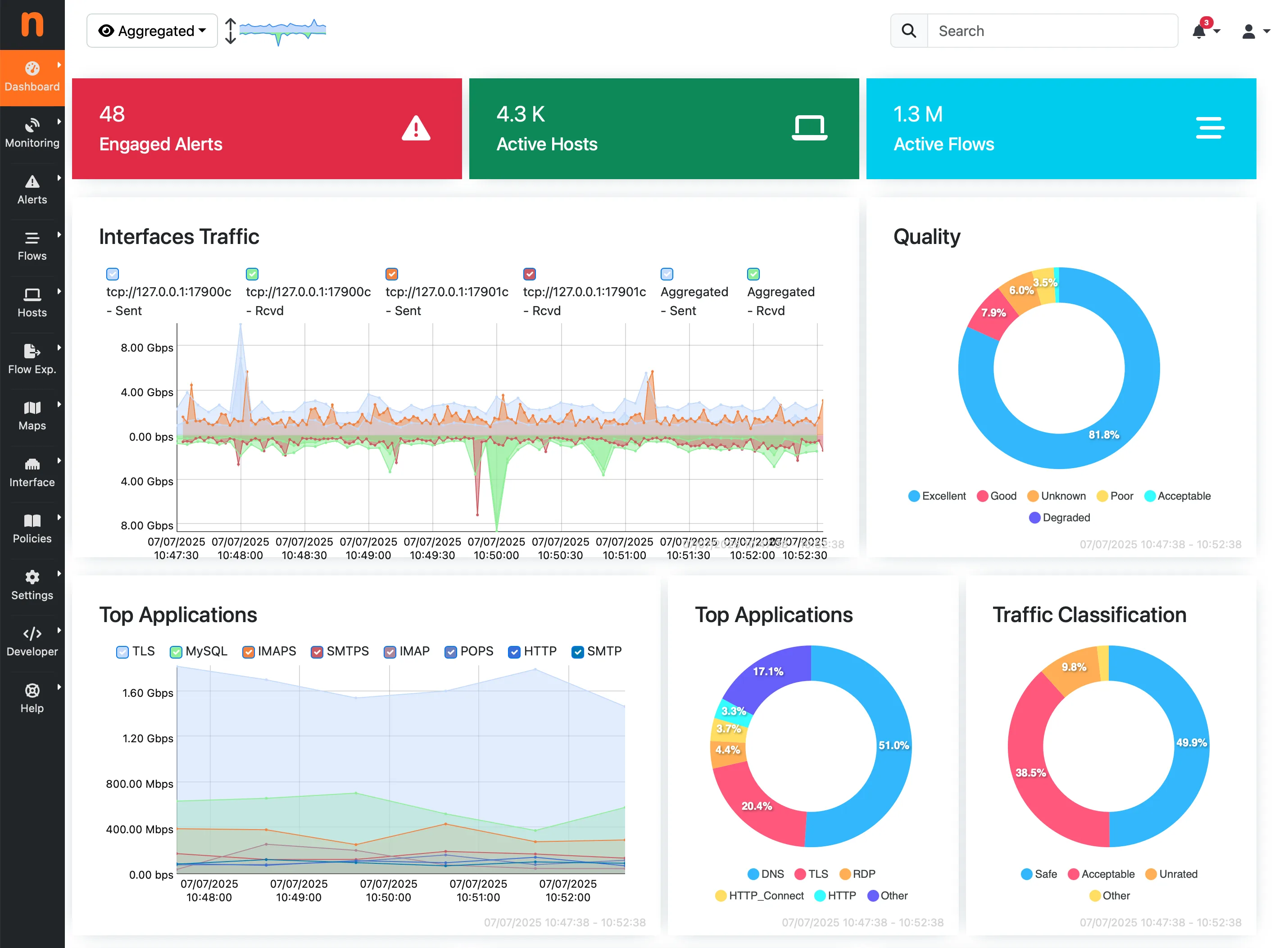
What Is ntopng?
ntopng is a network traffic monitoring and analysis tool that gives administrators detailed visibility into traffic flows, connected devices, application behavior, protocol usage, and bandwidth consumption. It helps organizations understand what is happening across the network in real time instead of waiting for users to report performance issues.
For businesses managing branch offices, internet links, firewalls, VPN traffic, remote users, and cloud-connected systems, that level of visibility becomes extremely valuable.
Why ntopng Matters for Business Networks
Modern business networks are no longer simple. Applications run across on-premises servers, cloud platforms, VPNs, collaboration tools, remote endpoints, and internet gateways. Without strong traffic visibility, troubleshooting becomes slower and security investigations become harder.
ntopng helps teams answer practical questions quickly:
- Which hosts are consuming the most bandwidth?
- Which applications are active right now?
- Is traffic behavior normal or unusual?
- Are there unexpected external destinations?
- Where is congestion actually happening?
Key Features of ntopng
Real-Time Traffic Monitoring
ntopng provides live visibility into network flows, active sessions, hosts, and conversations. That makes it much easier to troubleshoot performance issues while they are happening instead of after the fact.
Bandwidth Usage Analysis
Bandwidth visibility is one of the most useful capabilities in ntopng. Teams can identify which devices, users, or applications are using the most network resources and where internet or WAN capacity is under pressure.
Application and Protocol Visibility
Instead of looking only at ports and IPs, administrators can get better insight into which applications and protocols are driving network activity. That makes business decisions much easier because the data is more understandable.
Top Talker Detection
One overloaded or misbehaving system can affect the entire environment. ntopng helps identify top talkers quickly so IT teams can investigate heavy downloads, large transfers, excessive streaming, or unusual host behavior.
Historical Reporting
Network visibility is more useful when it is not limited to the current moment. ntopng supports historical analysis, which helps with trend reviews, capacity planning, incident investigations, and reporting.
Security Visibility Support
ntopng is not a full SIEM platform by itself, but it still supports security reviews by surfacing unusual traffic spikes, suspicious outbound communication, and patterns that may deserve deeper investigation.
Business Benefits of ntopng
- Improved network visibility across business-critical traffic
- Faster troubleshooting for internet, firewall, and application issues
- Better capacity planning for links and infrastructure
- More practical insight without oversized enterprise cost
- Stronger operational awareness for lean IT teams
Common ntopng Use Cases
- Internet bandwidth monitoring
- Firewall and gateway visibility
- Branch office traffic analysis
- Application usage monitoring
- Data center and infrastructure troubleshooting
- Security and anomaly review support
Where ntopng Fits in a Business Environment
ntopng is most useful when it is part of a broader visibility and security approach rather than treated as a standalone dashboard. For example, many teams pair traffic analytics with firewall controls, endpoint visibility, and infrastructure monitoring so they can troubleshoot faster and respond with more confidence.
That is where JwithKP typically helps: aligning network monitoring with practical implementation choices across services delivery, the wider technology stack, and the business goals behind performance, security, and cost control.
Is ntopng a Good Fit for SMBs?
Yes. ntopng can be a strong fit for small and mid-sized businesses that need practical network visibility but want to stay cost-conscious. It is especially useful for organizations that want better traffic intelligence, stronger troubleshooting capability, and a clearer understanding of network behavior without adding unnecessary complexity.
Frequently Asked Questions About ntopng
What is ntopng used for?
ntopng is used for monitoring network traffic, analyzing bandwidth usage, identifying top talkers, reviewing application traffic, and improving visibility across business networks.
Is ntopng free?
ntopng offers open-source and commercial editions. The right choice depends on the size of the environment, reporting requirements, and business needs.
Can ntopng help with bandwidth monitoring?
Yes. Bandwidth monitoring is one of the most useful ntopng features. It helps identify which users, devices, or applications are consuming the most network resources.
Can ntopng help with security monitoring?
ntopng is not a full SIEM by itself, but it can still support security visibility by helping teams identify unusual traffic, suspicious destinations, and abnormal communication patterns.
Is ntopng suitable for business networks?
Yes. ntopng is suitable for many business environments, especially where teams need practical traffic visibility, better troubleshooting, and stronger operational awareness.
If you want better network monitoring, firewall visibility, or support planning traffic analysis in your environment, JwithKP can help you evaluate where ntopng fits and how to deploy it practically.
Want to test ntopng in your environment first? Book a free 30-minute architecture review and we can define pilot scope, monitoring goals, and deployment fit.
Book a Free 30-Min Architecture Review